Deploy & manage
Register existing Triton servers or create Kubernetes-backed deployments from the UI.
Operate NVIDIA Triton on Kubernetes without stitching together separate tools. Deploy, develop, test, tune, and orchestrate from one focused UI.
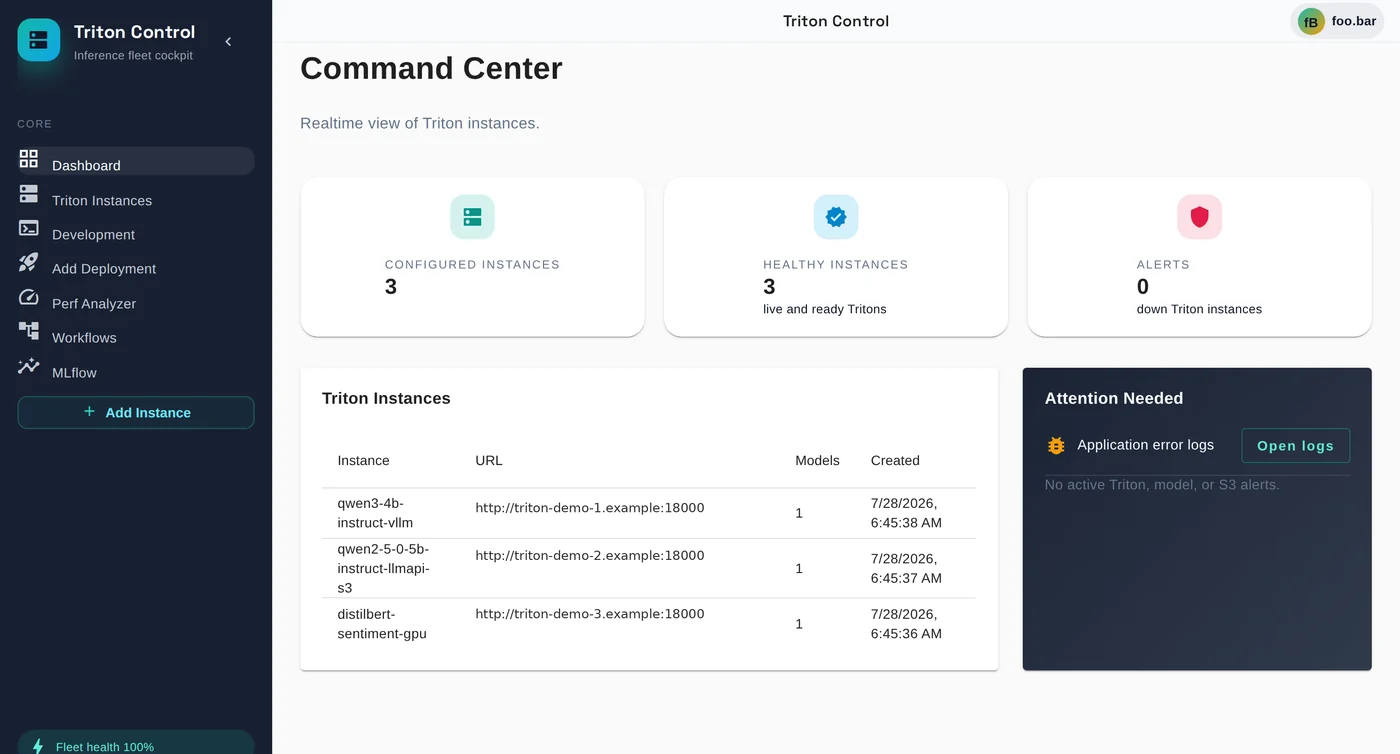
One cockpit for your stack
Keep the engineering detail. Lose the fragmented workflow. Triton Control connects the day-to-day operations around your inference server.
Register existing Triton servers or create Kubernetes-backed deployments from the UI.
Launch per-user, browser-based code-server workspaces directly in your cluster.
Reuse S3 profiles, browse repositories, inspect model config, and keep artifacts close.
Run inference requests, inspect latency and metrics, then benchmark with Perf Analyzer.
Run Kubernetes-managed MLflow with persistent storage through an authenticated embedded UI.
Use the embedded Argo Workflows UI and API behind Triton Control's authenticated proxy.
Give each user a browser-based development workspace inside Kubernetes. Launch it from Triton Control and keep development close to deployment, model, and inference operations.

The included scikit-learn example shows the full path: configure an S3 secret, submit the workflow, train in an ephemeral container, and persist the model plus evaluation results to S3-compatible storage.
ConfigureS3 credentials stay in a Kubernetes Secret.
RunArgo fetches the training script and executes it.
PersistModel, metrics, accuracy, and labels land in S3.

Triton Control adds an operational layer around the tools you already use. It does not hide Triton or lock your workflow into a hosted platform.
Install with Helm on Kubernetes or evaluate locally with Compose.
Stay close to Triton, Kubernetes, S3, MLflow, and Argo concepts.
Read the code, follow the roadmap, and contribute under Apache 2.0.
 Take command of your inference stack
Start with the quickstart, deploy the Helm chart, and bring your first instance online.